


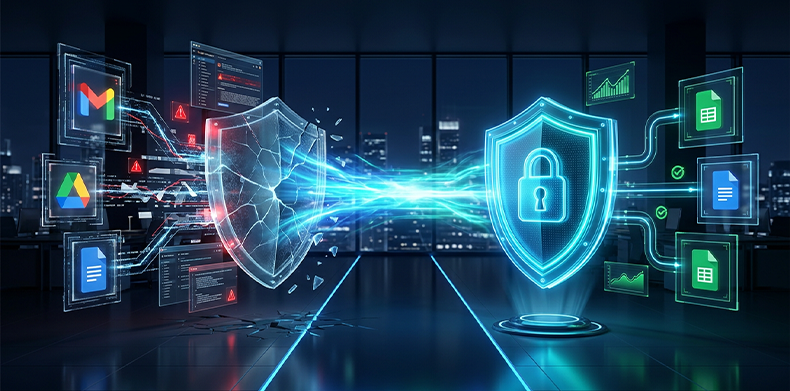
Google has spent recent months transforming Google Workspace into a first-class enterprise data security platform. Google Drive Labels now support up to ten metadata fields and badge lists, the Data Loss Prevention (DLP) system for Drive extended to Gmail executing real-time rules, Ask Gemini in Drive hit the market respecting access permissions and IRM, and Google Vault now allows file retention based on Drive Label values.
The product and technology are there. What is missing in most corporate environments is the label.
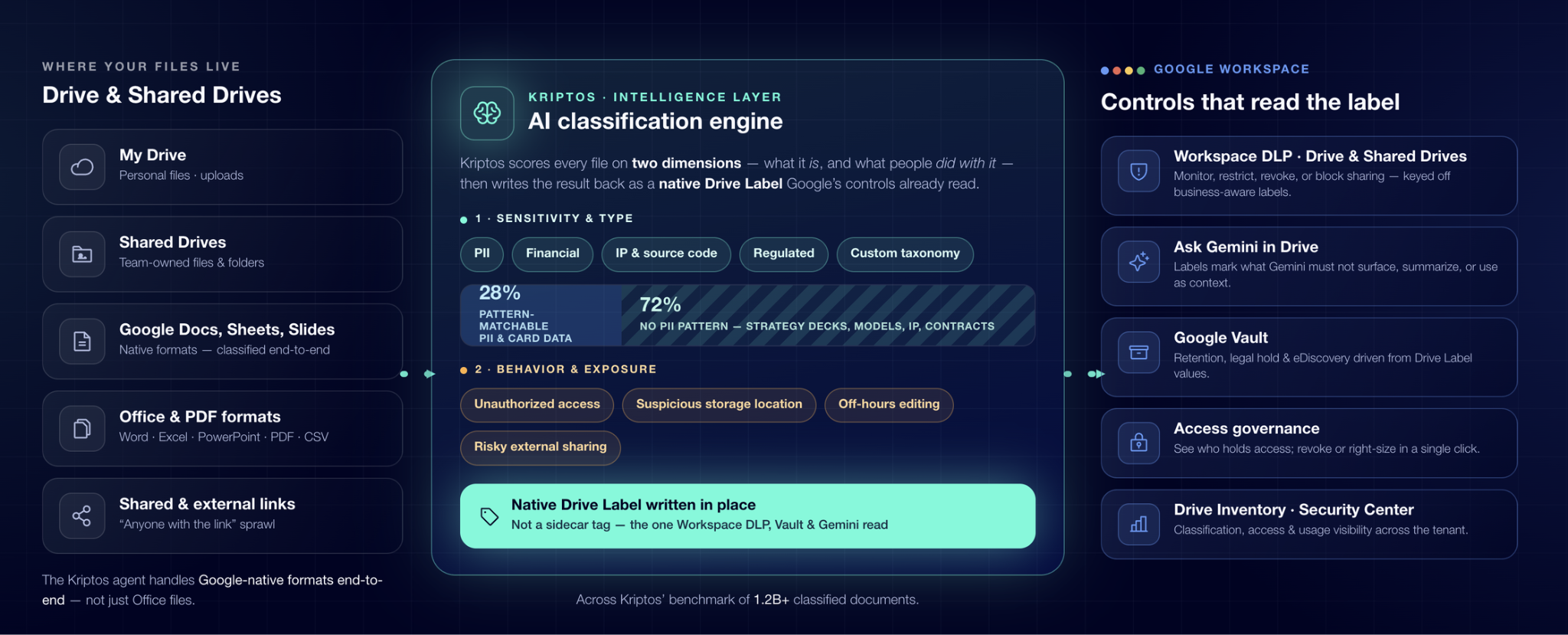
Without a precise sensitivity label on every document, each of these Google controls is forced to operate solely on a regulated minority, files that traditional DLP can detect using regex patterns (like PCI or PII card numbers) while ignoring strategic presentations, financial models, intellectual property, and contracts that do not share that structure. Drive Inventory exposes that gap, but it does not close it.
The Strategic Importance of Google Workspace Security for Enterprises
In modern organizations, Google Workspace is the backbone of daily collaboration. However, the ease of sharing documents internally and externally turns Google Drive into one of the main sources of accidental unstructured data exposure.
As companies adopt Artificial Intelligence tools like Ask Gemini, risks multiply if rigorous file-level access controls are absent:
Ensuring cybersecurity in Google Workspace is no longer about blocking access, but about understanding document content to apply the right security rule at the right time.
The Google Workspace Security Surface
For a cybersecurity leader evaluating the latest Google Workspace controls, the stack consists of five fundamental pillars:
Together, this forms a solid architecture. However, the major challenge is that every layer depends on knowing exactly what each file is. Attempting to manually label millions of documents at enterprise scale is unfeasible. Meanwhile, Google's native classifier requires significant training and configuration efforts to adapt to specific business contexts.
What Kriptos Brings to Google Workspace
Afterward, it writes the result directly into Drive Labels through a native integration. The solution not only processes standard Office formats (Word, Excel, PowerPoint, PDF, CSV), but also end-to-end native Google formats: Google Docs, Google Sheets, and Google Slides. The label is placed right where Google controls expect to read it.
5 Strategic Plays to Activate Your Google Security Stack
By enabling AI data classification that writes native labels, your organization immediately unlocks five key capabilities:
1. Environment-Wide Discovery and Native Labeling
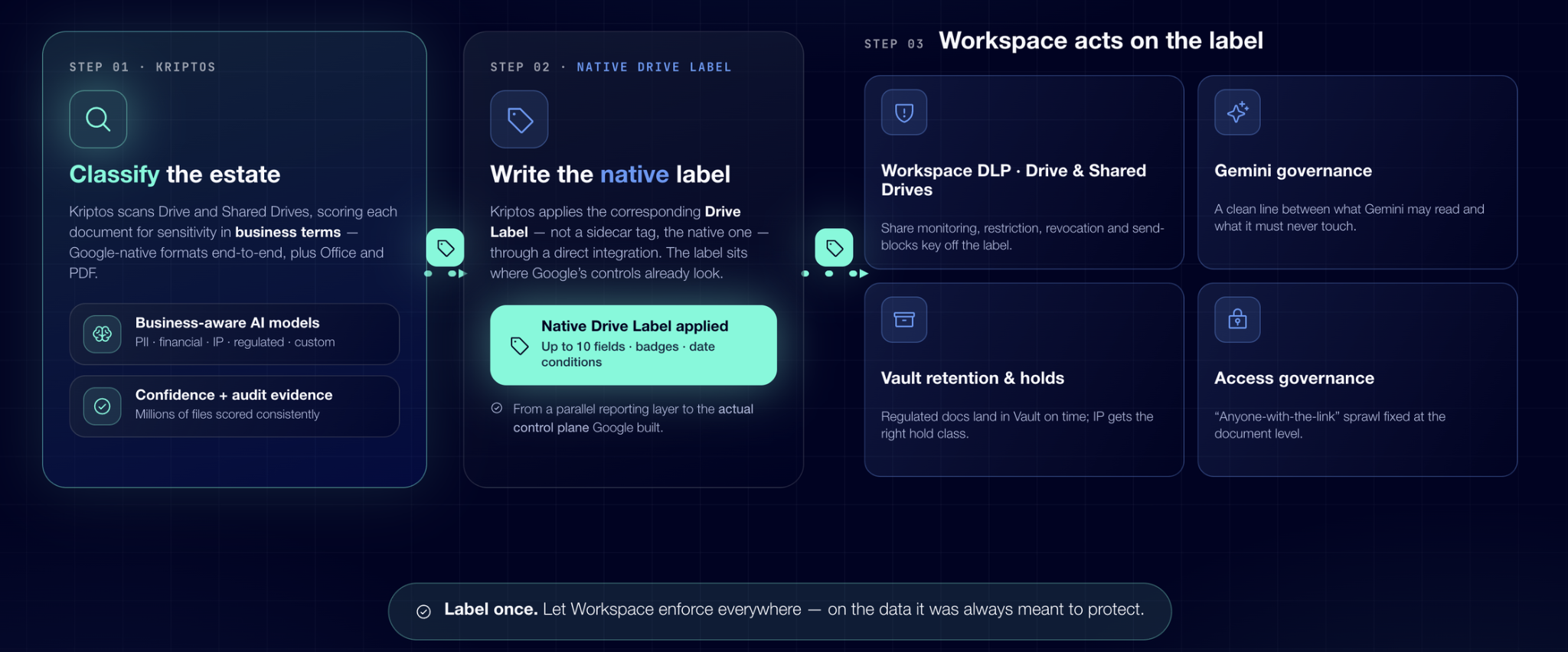
Kriptos scans Drive and Shared Drives, evaluates each document's sensitivity in business terms, and applies the corresponding Drive Label. Millions of files are consistently labeled within weeks, backed by confidence scores and audit evidence.
2. Business-Aware Google Workspace DLP
With labels populated automatically on every file, Data Loss Prevention (DLP) rules in Google Workspace respond to real business sensitivity rather than rigid text patterns. Policies like sharing restrictions, external access revocation, or Gmail blocking are applied precisely to intellectual property and strategic plans.
3. Gemini Governance: Secure Generative AI Access
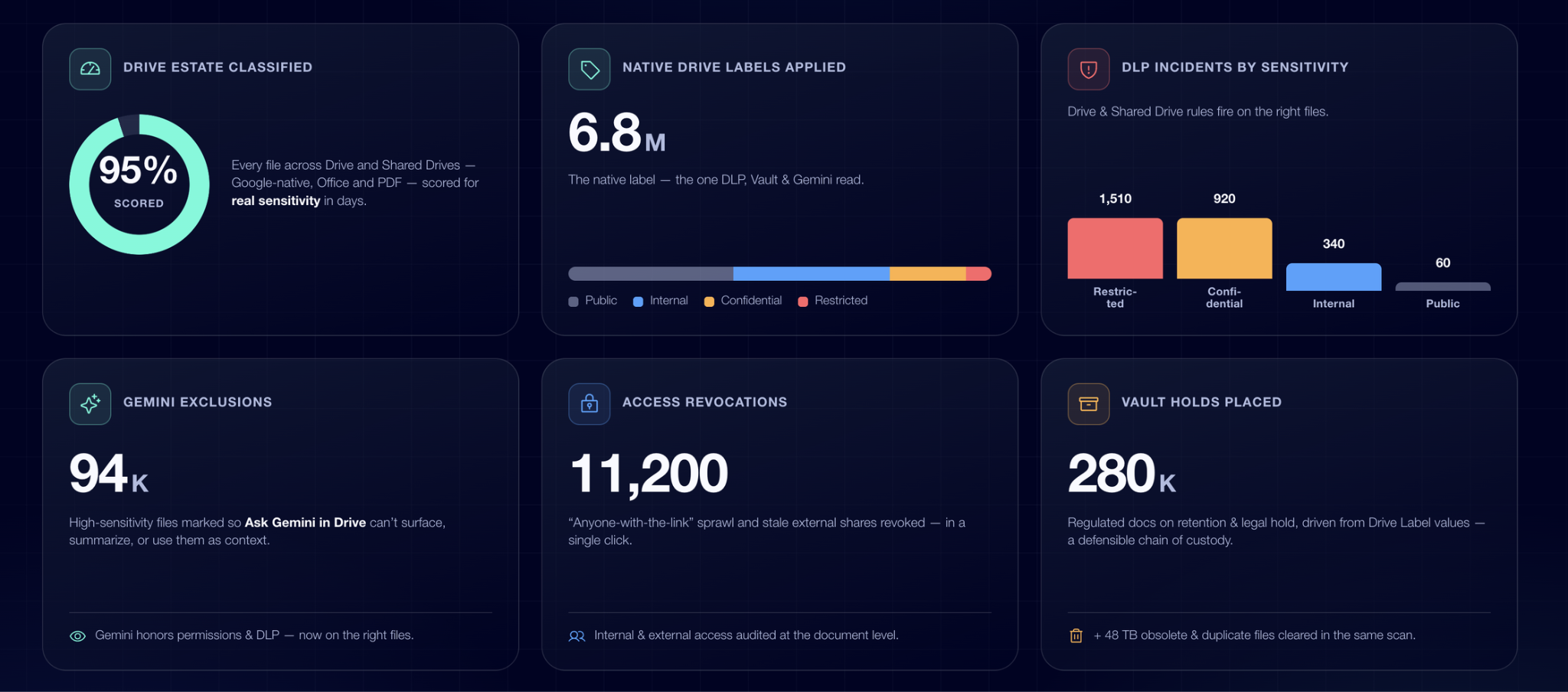
Ask Gemini in Drive respects permissions and DLP policies by design, but only on documents the enterprise has previously identified as sensitive. Kriptos labels explicitly mark which documents MUST NOT be read, summarized, or used as context by AI. This ensures safe AI adoption through a proactive file-level filter.
4. Access Governance and Exposure Reduction
Through data access governance, IT teams gain clear visibility into which internal and external users hold permissions over confidential files. Security teams can audit history and remediate overexposed permissions or public links ("Anyone with the link") with a single click, mitigating unintended exposure risks and strengthening insider threat management.
5. Google Vault and Storage Hygiene
Because Google Vault executes retention rules based on Drive Labels, legal holds and forensic preservation flow automatically from the criticality level assigned by Kriptos. Continuous evaluation also detects obsolete or duplicate files, simplifying storage cleanup and reducing unnecessary risks within a comprehensive data compliance and risk management framework.
Why the "Native" Approach Makes All the Difference
Various tools in the market can attach secondary metadata in Google Drive. However, very few write the native Drive Label the only label read by Google Workspace DLP, Vault, Gemini, and the Security Center.
The native integration of Kriptos turns classification into the actual control plane Google designed its platform for. Label once, and let Google Workspace enforce protection everywhere.
Maximize Your Cybersecurity Investment and Unlock the Full Potential of Google Workspace
Investing in advanced Google Workspace licensing is only the first step toward securing your enterprise digital infrastructure, the true value is unlocked when native security controls act precisely across all your information assets. Maintaining a blind cybersecurity posture toward 72% of unstructured documents compromises regulatory compliance and leaves critical information vulnerable to leaks. By integrating the Kriptos AI engine, your organization moves beyond surface-level analysis, enabling DLP, Vault, and Ask Gemini policies to execute automated actions based on real asset value and risk.
It is time to transform data classification from a passive compliance requirement into the control engine your IT team needs to operate with confidence. With rapid cloud deployment, zero complex installations, and no user disruption, Kriptos enables full control over your document repositories while ensuring fully governed AI adoption. Discover how to accelerate your Google stack ROI and proactively reduce company exposure to cyber threats and internal incidents.
Request a Personalized Kriptos Demo for Google Workspace
Explore in depth how to protect Google Workspace with Kriptos
Frequently Asked Questions (FAQ) on Google Workspace Security
Why is traditional Google Workspace DLP insufficient on its own?
Traditional DLP relies heavily on regular expressions (RegEx) to find structured patterns like ID or credit card numbers. This leaves 72% of corporate documents (financial plans, contracts, source code) unprotected because they contain no PII despite being highly confidential.
How does Kriptos ensure Ask Gemini does not reveal confidential information?
Kriptos automatically classifies and labels sensitive files. Google Workspace is designed so Ask Gemini respects DLP rules and permissions associated with Drive Labels, preventing the AI from using or summarizing restricted documents for unauthorized users.
Does Kriptos require installing heavy infrastructure or disrupting user workflows?
No. The solution deploys in minutes natively in the cloud, without infrastructure changes or operational downtime for employees.


